

CIOOffice: the CIO-Software
CIOOffice is a cloud platform enabling CIOs to streamline IT strategy, budgets, projects, and vendor management.
AI tool Details
Explore More
Alternatives
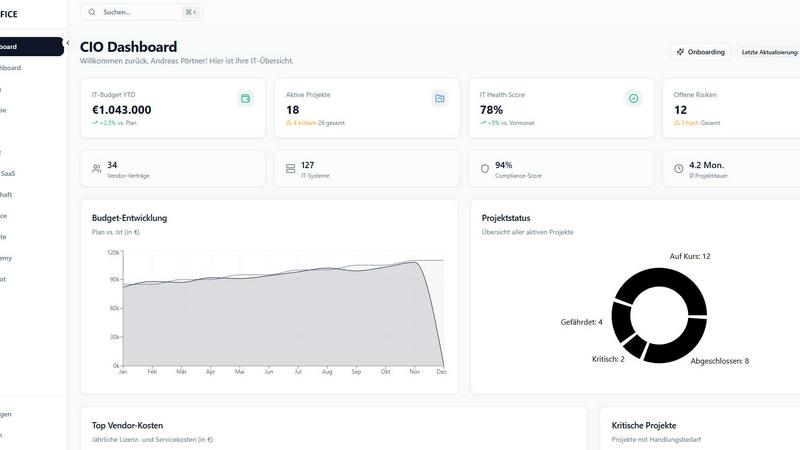
About CIOOffice: the CIO-Software
CIOOffice is a state-of-the-art, cloud-based platform designed specifically for Chief Information Officers (CIOs), IT managers, and digital leaders in small to mid-sized enterprises. This all-in-one IT management solution integrates essential functions such as IT strategy management, project portfolio oversight, budget control, vendor management, and performance analytics into a single, intuitive dashboard. By leveraging CIOOffice, organizations gain greater visibility into their IT operations, allowing them to streamline workflows, enhance collaboration, and make data-driven decisions using real-time insights. The platform plays a crucial role in supporting digital transformation initiatives, ensuring standardized governance practices while fostering alignment between IT and business teams. With a strong emphasis on security and GDPR compliance, CIOOffice is an indispensable tool for modernizing IT management, optimizing efficiency, and driving overall business growth.
Features
IT Strategy Management
This feature allows users to define strategic goals, plan initiatives, and track progress transparently. CIOs can set clear objectives and align IT strategies with business priorities effectively.
Budget Management
CIOOffice provides comprehensive tools to manage operating expenses (OPEX), capital expenditures (CAPEX), and forecasts. Users receive automated alerts for budget deviations, enhancing financial oversight.
Project Portfolio Management
Users can categorize and prioritize projects, maintaining a clear view of the entire portfolio. This feature enables better resource allocation and project tracking for improved outcomes.
Governance and Risk Management
CIOOffice helps organizations identify IT risks, ensure compliance, and prepare for audits. This feature supports effective governance by maintaining a comprehensive overview of compliance measures and risks.
Use Cases
Streamlining IT Operations
CIOOffice can be utilized to streamline IT processes by consolidating various management functions into one platform, reducing operational complexities and enhancing efficiency.
Enhancing Budget Control
Organizations can leverage CIOOffice to gain better control over their IT budgets. By monitoring expenses and receiving alerts, they can minimize overspending and optimize resource allocation.
Improving Project Oversight
With project portfolio management capabilities, CIOs can oversee multiple projects simultaneously, ensuring that resources are effectively allocated and timelines are adhered to.
Strengthening Compliance and Risk Management
CIOOffice aids in risk assessment and compliance management, making it easier for organizations to prepare for audits and maintain regulatory standards, thus securing their IT environment.
Frequently Asked Questions
What types of organizations benefit from CIOOffice?
CIOOffice is tailored for small to mid-sized enterprises, specifically aimed at CIOs, IT managers, and digital leaders seeking to enhance their IT management capabilities.
Is CIOOffice compliant with GDPR?
Yes, CIOOffice adheres to stringent security standards, including GDPR compliance, ensuring that organizations can manage their IT operations securely and responsibly.
Can I customize my experience with CIOOffice?
Absolutely. CIOOffice offers a modular structure, allowing organizations to select the features they need, ensuring that the platform aligns with their specific IT management requirements.
What support options are available to CIOOffice users?
CIOOffice provides various support options, including email support for basic plans and priority support for higher-tier plans, ensuring that users receive assistance as needed.
Similar to CIOOffice: the CIO-Software
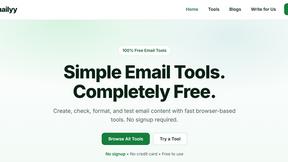
Emailyy
Free email tools for signatures, subject lines, HTML previews, word counts, and email headers. Browser-based, simple to use, and no signup required.

Uniclip
Clip pages, take full-page screenshots and batch-capture list data to Notion, Feishu, Obsidian, Markdown, CSV or JSON.
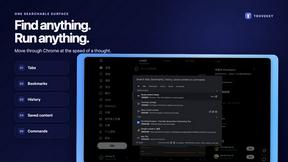
TroveKey
Search tabs, Chrome bookmarks and history, run browser commands, and save webpages and social posts locally—no account.

LightScreen
Free light screen tool online. Turn any display into a flashlight, ambient light, or solid-color screen. No download or sign-up.
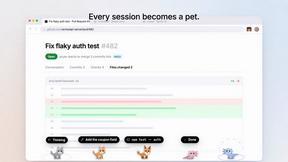
Agent Pets
Your Claude Code & Codex sessions as pets in Chrome. Approve, deny and reply to your coding agents from any tab.
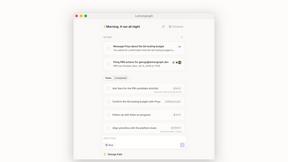
Lemongraph
Almost every conversation ends with a promise. Lemongraph keeps track of them for you and lines up your day the way you would.
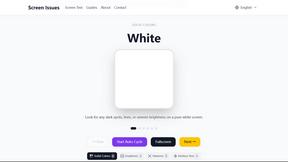
Screen Issues
Free Online Screen Test Tool - Instantly diagnose dead pixels, lines, color issues, and flickering. Multiple test modes, no download needed.