

Browsilla
Browsilla is a minimalist Chrome extension that transforms your new tab into a clean dashboard for tasks, bookmarks.
AI tool Details
Explore More
Alternatives
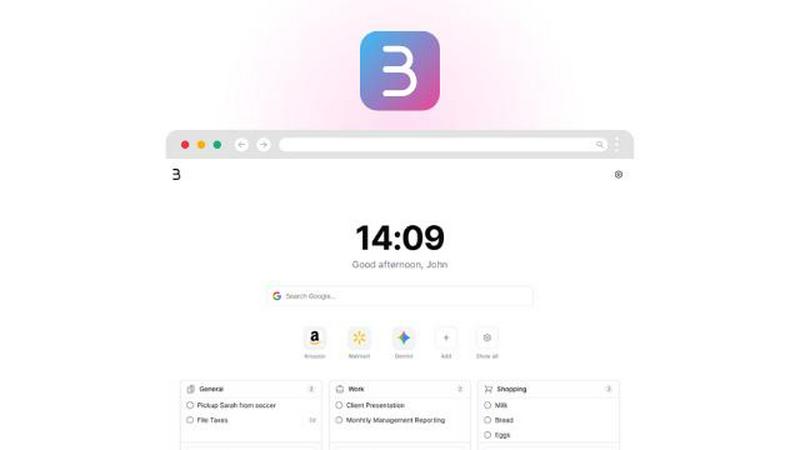
About Browsilla
Browsilla is a lightweight Chrome extension designed to transform every new tab into a serene, productivity-oriented workspace. In a digital landscape cluttered with distractions like news feeds and ads, Browsilla offers a refreshing alternative by providing users with direct access to essential tools: tasks, quick links, bookmarks, weather updates, and a clean search bar. With a focus on simplicity and efficiency, Browsilla is ideal for makers, founders, and professionals who seek a streamlined start page that enhances focus and productivity. Everything runs locally within your browser, ensuring maximum privacy, with no accounts or tracking required. This means you can enjoy a distraction-free environment that prioritizes your workflow. Install Browsilla once, and turn every new tab into a purposeful moment that fosters creativity and productivity.
Features
Clean Workspace
Browsilla provides an uncluttered environment by eliminating unwanted distractions such as ads and news feeds. Instead, it focuses on what matters most, allowing users to customize their new tab with essential tools and information for enhanced productivity.
Local Functionality
All operations of Browsilla are conducted locally within your browser. This means no data is sent to the cloud, ensuring maximum privacy and security for your information. Users can enjoy peace of mind knowing their activities are not being tracked.
Quick Access to Tasks and Links
With Browsilla, users can easily access their most important tasks, quick links, and bookmarks right from their new tab. This feature streamlines the workflow and saves time, allowing users to jump straight into their work without unnecessary clicks.
Weather Updates
Stay informed about the weather directly from your new tab. Browsilla integrates weather information to help users plan their day effectively. This feature is especially beneficial for professionals who need to consider weather conditions in their planning.
Use Cases
For Professionals
Professionals can use Browsilla to stay organized and focused. By accessing tasks and quick links from their new tab, they can manage their daily responsibilities more efficiently, ultimately enhancing their productivity.
For Students
Students benefit from Browsilla by having a dedicated space for their study materials, quick access to educational resources, and a clean environment that minimizes distractions, aiding their learning process.
For Creatives
Creatives can utilize Browsilla to manage their projects and inspirations. With easy access to bookmarks and tasks, they can streamline their creative process and keep their ideas organized in one place.
For Entrepreneurs
Entrepreneurs can leverage Browsilla to maintain focus on their goals and tasks. By customizing their workspace with relevant links and information, they can effectively manage their time and improve productivity in their ventures.
Frequently Asked Questions
What is Browsilla?
Browsilla is a Chrome extension that transforms your new tab into a focused workspace, providing essential tools for productivity without distractions.
Do I need to create an account to use Browsilla?
No, Browsilla operates locally within your browser, requiring no account creation or registration. This ensures your privacy and simplicity in use.
How does Browsilla ensure my privacy?
Browsilla runs all operations locally and does not track user data or require cloud services. This means your information remains secure and private.
Can I customize my Browsilla workspace?
Yes, Browsilla allows users to customize their new tab with tasks, quick links, bookmarks, and weather updates, tailoring the workspace to suit individual needs and preferences.
Similar to Browsilla
AI Email Filter
AI Email Filter sorts incoming mail into folders using plain-language prompts you write. Works with any IMAP mailbox; bring your own LLM if you want.

Partly
Snap the receipt, let AI read the items, and see who owes whom in your flat, trip or dinner group.
Product Launch Checklist
A free launch checklist for SaaS, apps, AI tools and more. Every step says why it matters and when you can skip it.
Kody Tools
Free collection of online developer utilities, code formatters, and digital converters designed to streamline your daily workflow.
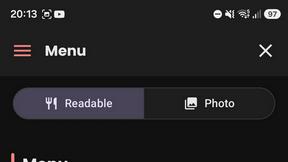
What's on the menu
Smart translate any restaurant menu
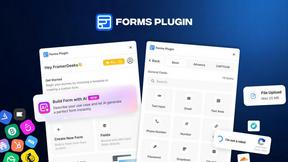
Forms Plugin
The #1 Native Form Builder Plugin for Framer - No Code, No Embeds, No External Platforms.

HomeAnswerBook
Practical, independent guides to home repairs, maintenance, costs, troubleshooting, and everyday fixes.
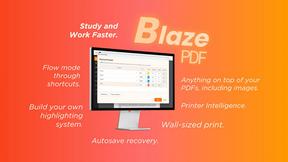
BlazePDF
Highlight faster. Study in flow with custom shortcuts and a workflow built around you. Print smarter, or turn any page into a tiled poster.