

Browser Notes
Browser Notes is a local-first Chrome extension for notes, sticky boards, and mind maps without signup or cloud storage.
AI tool Details
Explore More
Alternatives
About Browser Notes
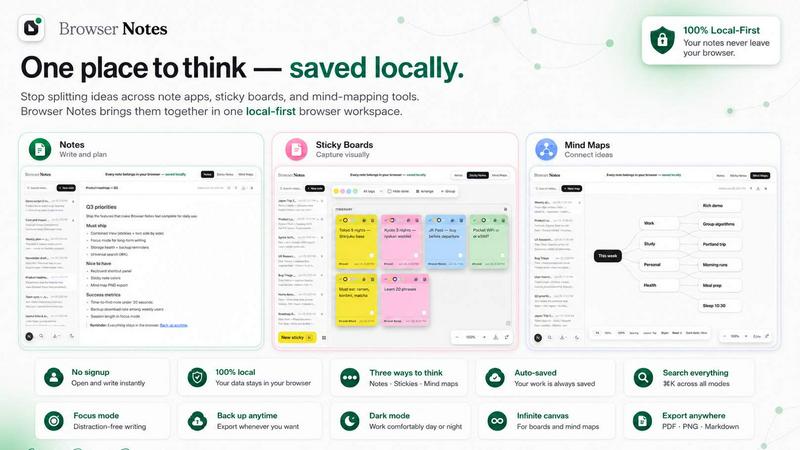
Browser Notes is a local-first workspace that consolidates your notes, sticky notes, and mind maps directly inside your browser. It eliminates the fragmentation of ideas across separate writing apps, sticky boards, and mind-mapping tools. Unlike cloud-dependent solutions that push your private ideas to external servers, Browser Notes stores everything locally in your browser. No account creation, no tracking, and no forced sync are required. It works fully offline, giving you complete control over your data. You can back up your data anytime with a simple export. This product is designed for anyone who values privacy, simplicity, and direct access to their thoughts without relying on third-party infrastructure. Whether you are a student organizing study notes, a professional brainstorming project ideas, or a writer drafting content, Browser Notes provides three distinct tools: a markdown editor for formatted writing, a free-form canvas for sticky notes, and a center-based branching tool for mind maps. You can start from scratch or use a template to accelerate your workflow. All data stays in your browser, and you can import a backup if you already have one. Browser Notes is available as a Chrome Extension, making it instantly accessible from your browser toolbar. It offers a clean, minimal interface with keyboard shortcuts for efficient navigation. The core value proposition is simple: every note belongs in your browser, saved locally, with no compromises on privacy or functionality.
Features
Notes with Markdown Formatting
Write and format your thoughts using markdown. This feature allows you to create structured documents with headings, lists, bold, italics, links, and more directly in your browser. All content is saved locally, so your formatted notes remain private and accessible offline. You can focus on writing without distractions, knowing your data never leaves your machine unless you choose to back it up.
Sticky Notes on a Free Canvas
Brainstorm ideas on an unlimited, free-form canvas. Drag, resize, and arrange sticky notes to visually organize your thoughts. This feature is ideal for quick brainstorming sessions, project planning, or mapping out complex concepts. The canvas responds to your workflow, letting you cluster related ideas or spread them out. Everything remains local and offline.
Mind Maps from a Center Point
Branch ideas from a central node to create visual mind maps. This tool helps you explore connections, break down problems, or generate new ideas. You can add child nodes, rearrange branches, and expand your map as needed. The mind map feature is fully local, ensuring your creative process stays private and uninterrupted by cloud dependencies.
Full Offline Functionality and Local Storage
Browser Notes works entirely offline. All data is stored in your browser’s local storage, so you never need an internet connection to access or edit your notes. This feature guarantees that your work is always available, even in areas with poor connectivity. You retain complete ownership and control over your data, with no syncing to external servers.
Use Cases
Personal Knowledge Management
Collect and organize your personal knowledge in one local workspace. Use markdown notes for detailed articles or research summaries, sticky notes for quick reminders or to-do lists, and mind maps for connecting ideas across topics. All data stays in your browser, so your knowledge base remains private and accessible offline. You can back up your entire workspace anytime.
Academic Study and Research
Students can use Browser Notes to compile lecture notes, brainstorm essay topics, or create study guides. The markdown editor supports formatting for clear, structured notes. Sticky notes help with memorization or quick fact recall. Mind maps enable visual connections between concepts, aiding comprehension. No account is needed, so you can focus on learning without distractions.
Project Planning and Brainstorming
Professionals can plan projects using the free canvas for sticky notes to outline tasks, deadlines, and dependencies. Mind maps help visualize project phases or team roles. Markdown notes serve as a central document for project specifications or meeting minutes. Everything is local, ensuring sensitive project data never leaves your browser. Backups provide peace of mind.
Creative Writing and Content Drafting
Writers can draft articles, stories, or scripts using the markdown editor. Use sticky notes to capture character ideas, plot points, or dialogue snippets. Mind maps help structure chapters or explore narrative arcs. The offline capability means you can write anywhere without internet. Your drafts remain private and under your control.
Frequently Asked Questions
Do I need to create an account to use Browser Notes?
No, Browser Notes does not require any account creation. There is no sign-up, no login, and no email verification. You can start using the tool immediately after installing the Chrome Extension. Your data is stored locally in your browser, and no personal information is collected or tracked.
Is my data stored in the cloud?
No, your data is never pushed to the cloud. Browser Notes stores everything locally in your browser’s local storage. There is no forced sync, no server upload, and no third-party access. You have full control over your data and can back it up manually at any time by exporting a backup file.
Can I use Browser Notes offline?
Yes, Browser Notes works fully offline. All features, including markdown notes, sticky notes, and mind maps, are accessible without an internet connection. Your data is stored locally, so you can create, edit, and view your notes anytime, anywhere. An internet connection is only needed to install the extension or import a backup.
How do I back up my data?
You can back up your data anytime by exporting a backup file from the Browser Notes interface. This file contains all your notes, sticky notes, and mind maps in a portable format. You can store this backup on your computer, external drive, or cloud storage of your choice. To restore, simply use the import backup feature.
Similar to Browser Notes
Panzoe
Panzoe is an all-in-one AI platform for personal productivity, business automation, AI assistants, content creation, and custom AI solutions.
AI Email Filter
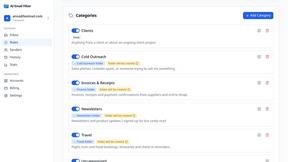
AI Email Filter sorts incoming mail into folders using plain-language prompts you write. Works with any IMAP mailbox; bring your own LLM if you want.

Partly
Snap the receipt, let AI read the items, and see who owes whom in your flat, trip or dinner group.
Product Launch Checklist
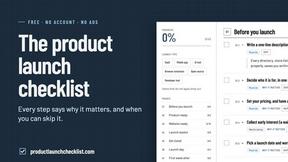
A free launch checklist for SaaS, apps, AI tools and more. Every step says why it matters and when you can skip it.
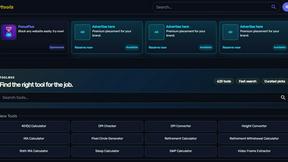
Kody Tools
Free collection of online developer utilities, code formatters, and digital converters designed to streamline your daily workflow.
What's on the menu
Smart translate any restaurant menu
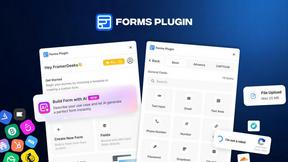
Forms Plugin
The #1 Native Form Builder Plugin for Framer - No Code, No Embeds, No External Platforms.

HomeAnswerBook
Practical, independent guides to home repairs, maintenance, costs, troubleshooting, and everyday fixes.