

Bg Eraser
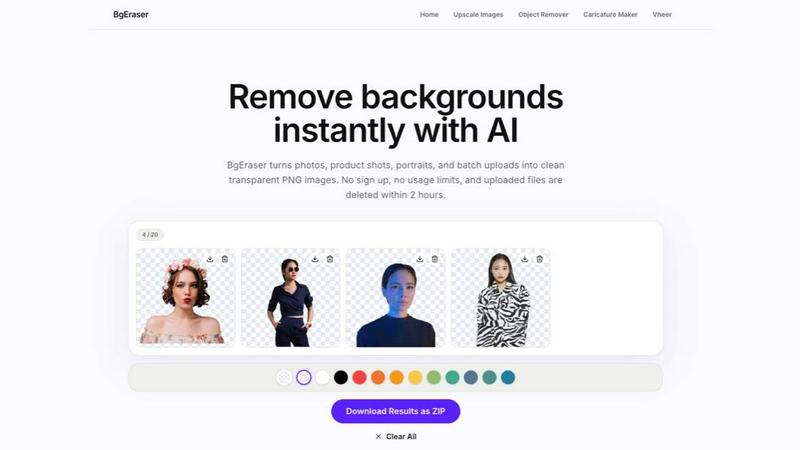
Bg Eraser removes backgrounds from up to 20 photos instantly with no signup, auto-deleting files for privacy.
AI tool Details
Explore More
Alternatives
About Bg Eraser
Bg Eraser is a powerful and user-friendly online tool designed to remove backgrounds from images quickly and efficiently. It leverages advanced AI technology to automatically separate subjects from their backgrounds, preserving clean edges and delivering high-quality transparent PNG files. The tool is ideal for a wide range of users, including e-commerce sellers, graphic designers, photographers, and content creators who need to prepare images for websites, online stores, social media, or marketing materials. A key differentiator is its batch processing capability, allowing users to upload and process up to 20 images simultaneously in the same workspace, which significantly streamlines workflows and saves time compared to editing each file individually. Bg Eraser operates entirely in the browser with no registration or software installation required, making it accessible from any device. Privacy is a core feature: all uploaded files and generated results are automatically deleted within two hours, ensuring user data remains secure. The tool supports common image formats like JPG, PNG, and WebP, and offers the option to either keep transparency or apply a solid background color before downloading. For users needing offline access, desktop versions are available for Windows and Mac. Bg Eraser simplifies the often tedious task of background removal into a fast, private, and batch-ready solution for everyday production needs.
Features
AI Background Eraser
Bg Eraser uses advanced artificial intelligence to automatically detect and separate the subject of an image from its background. The AI is trained to handle complex edges, such as hair, fur, or intricate product shapes, preserving clean outlines without manual refinement. This ensures that the resulting transparent PNG is polished and ready for professional use, whether for e-commerce listings, social media graphics, or design mockups.
Batch Background Removal
Users can upload up to 20 JPG, PNG, or WebP images at once and remove their backgrounds in a single batch process. This feature eliminates the need to repeat the same editing step for each file, allowing e-commerce sellers, photographers, and content creators to prepare large sets of product photos, portraits, or graphics much faster. The entire batch is processed in the same workspace, streamlining production workflows.
Transparent PNG Output
After background removal, Bg Eraser delivers clean transparent PNG files that are immediately ready for reuse. The transparency is preserved with high fidelity, making the images suitable for placement on any background color or design layout without visible halos or artifacts. This output format is essential for creating professional assets for online stores, presentations, profile pictures, and design composites.
Privacy-Friendly Cleanup
Bg Eraser is designed with user privacy as a priority. No account registration or sign-up is required to use the tool. All uploaded images and the resulting processed files are automatically deleted from the servers within two hours of upload. This automated cleanup reduces long-term file storage and ensures that sensitive or proprietary images are not retained, providing peace of mind for commercial and personal use.
Use Cases
E-commerce Product Photography
Online sellers and marketplace vendors can use Bg Eraser to quickly remove backgrounds from product photos. By processing up to 20 images in a batch, sellers can prepare clean, uniform assets for catalog listings, Amazon, eBay, or Shopify stores. The transparent PNG output allows products to be placed on any background, creating consistent and professional-looking listings that attract customers.
Social Media and Content Creation
Content creators, influencers, and social media managers can remove backgrounds from portraits, lifestyle shots, or graphics to create engaging posts and stories. The tool makes it easy to isolate subjects and place them on custom backgrounds, brand colors, or templates. This speeds up the creation of profile pictures, Instagram posts, YouTube thumbnails, and other visual content without needing heavy design software.
Graphic Design and Mockups
Designers working on presentations, brochures, or website mockups can use Bg Eraser to quickly extract subjects from photos. The ability to download transparent PNGs means designers can layer images into composites, place them on colored backgrounds, or integrate them into layouts without the hassle of manual masking. This is particularly useful for creating professional mockups for client pitches or portfolio pieces.
Personal and Everyday Use
Individuals can use Bg Eraser for personal projects like creating transparent profile pictures, removing backgrounds from family photos, or preparing images for school projects. The no-sign-up, free-to-use model makes it accessible for anyone needing a quick background removal. The automatic deletion of files within two hours also ensures that personal photos remain private and are not stored long-term.
Frequently Asked Questions
What is Bg Eraser?
Bg Eraser is an online AI-powered tool that removes backgrounds from images automatically. It supports batch processing of up to 20 files, outputs clean transparent PNGs, and requires no registration or software installation. Uploaded files are automatically deleted within two hours for privacy.
Can I remove backgrounds from multiple images at once?
Yes. Bg Eraser supports batch background removal. You can upload up to 20 JPG, PNG, or WebP images simultaneously, and the tool will process them all in the same workspace, allowing you to download the results together.
Do I need to create an account to use Bg Eraser?
No. Bg Eraser is free to use with no sign-up or account creation required. You can upload images and download results directly in your browser without any registration process.
How does Bg Eraser protect my privacy?
Bg Eraser automatically deletes all uploaded images and generated results from its servers within two hours of upload. This reduces long-term file storage and ensures your images are not retained, providing a privacy-friendly experience for both personal and commercial use.
What image formats does Bg Eraser support?
Bg Eraser supports JPG, PNG, and WebP image formats for upload. Processed images are downloaded as transparent PNG files, which are ideal for reuse in various design and e-commerce applications.
Are processed images free for commercial use?
Yes. Images processed with Bg Eraser are free for commercial use. There are no usage limits or restrictions on how you can use the resulting transparent PNG files, whether for e-commerce, marketing, or personal projects.
Similar to Bg Eraser

Emailyy
Free email tools for signatures, subject lines, HTML previews, word counts, and email headers. Browser-based, simple to use, and no signup required.

Uniclip
Clip pages, take full-page screenshots and batch-capture list data to Notion, Feishu, Obsidian, Markdown, CSV or JSON.

TroveKey
Search tabs, Chrome bookmarks and history, run browser commands, and save webpages and social posts locally—no account.

LightScreen
Free light screen tool online. Turn any display into a flashlight, ambient light, or solid-color screen. No download or sign-up.

Agent Pets
Your Claude Code & Codex sessions as pets in Chrome. Approve, deny and reply to your coding agents from any tab.

Lemongraph
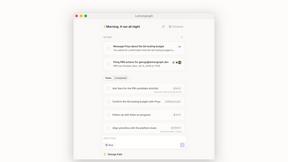
Almost every conversation ends with a promise. Lemongraph keeps track of them for you and lines up your day the way you would.
Screen Issues
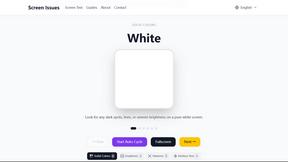
Free Online Screen Test Tool - Instantly diagnose dead pixels, lines, color issues, and flickering. Multiple test modes, no download needed.