

AskFormulas
AskFormulas generates and tests Excel and Sheets formulas, ensuring accuracy and saving you hours of debugging.
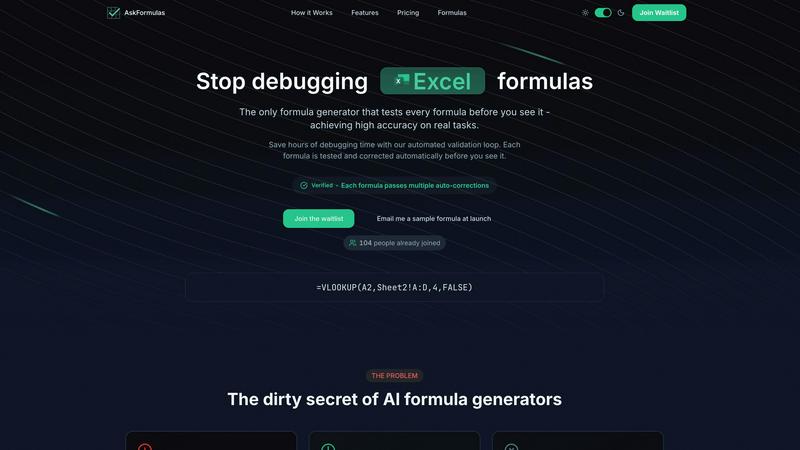
About AskFormulas
AskFormulas is an innovative AI-powered tool designed to streamline the process of creating and validating spreadsheet formulas. It effectively resolves the common issues faced by users who struggle with broken formulas that can lead to significant time losses. Traditional AI formula generators often produce formulas with high error rates, requiring users to spend hours debugging. AskFormulas differentiates itself through its unique automated validation loop, which rigorously tests each formula against real, synthetic data in a secure sandbox environment. This ensures that only fully functional formulas, marked with a "Verified" badge, are delivered to users. With a guaranteed accuracy rate of over 95%, AskFormulas is ideal for financial analysts, revenue managers, small business owners, and anyone who needs reliable formula solutions without the hassle of manual corrections.
Features
Automated Validation Loop
Each formula generated by AskFormulas undergoes a three-step validation process. This ensures that formulas are not only created but also tested and corrected before being presented to the user, significantly enhancing reliability.
Natural Language Input
Users can describe their formula requirements in plain English, eliminating the need for prior knowledge of spreadsheet syntax. This feature allows anyone, regardless of their technical background, to generate accurate formulas effortlessly.
Excel and Google Sheets Compatibility
AskFormulas seamlessly supports both Microsoft Excel and Google Sheets. Users can toggle between the two platforms with a single click, and the system automatically adjusts the formula syntax as needed.
Smart Error Detection
In the event of any issues with a formula, AskFormulas employs smart error detection to identify and correct errors automatically. This ensures that users are provided with formulas free of common errors like #REF! or #VALUE!.
Use Cases
Financial Analysis
Financial analysts can use AskFormulas to quickly generate complex formulas for tasks like forecasting and budgeting, ensuring accuracy and saving valuable time previously spent on debugging.
Revenue Management
Revenue managers can rely on AskFormulas to create accurate calculations for sales reports, pricing strategies, and revenue predictions, allowing them to focus on strategic decisions rather than technical issues.
Small Business Operations
Small business owners can utilize AskFormulas to simplify their spreadsheet tasks, such as inventory tracking and expense reporting, without needing to master formula syntax, thus enhancing productivity.
Data Analysis and Reporting
Data analysts can benefit from AskFormulas by generating and validating formulas for data manipulation and reporting purposes, ensuring that their insights are based on accurate calculations.
Frequently Asked Questions
How accurate are the generated formulas?
AskFormulas guarantees a formula accuracy rate of over 95%. Each formula is tested in a secure sandbox environment before being presented to the user, minimizing the likelihood of errors.
Does it work with both Excel and Google Sheets?
Yes, AskFormulas supports both Microsoft Excel and Google Sheets. Users can easily switch between the two platforms with a one-click toggle that adjusts the formula syntax accordingly.
How many formulas can I generate per month?
AskFormulas offers various pricing plans, allowing users to generate a different number of formulas based on their subscription tier. For instance, the starter plan allows up to 500 formulas per month.
What happens if a formula has issues?
If a formula generated by AskFormulas encounters any issues, the system automatically detects and corrects the errors. Users receive a verified formula that is ready to use, eliminating the frustration of manual debugging.
Similar to AskFormulas
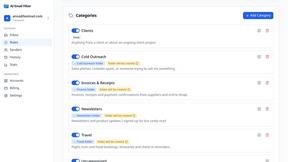
AI Email Filter
AI Email Filter sorts incoming mail into folders using plain-language prompts you write. Works with any IMAP mailbox; bring your own LLM if you want.

Partly
Snap the receipt, let AI read the items, and see who owes whom in your flat, trip or dinner group.
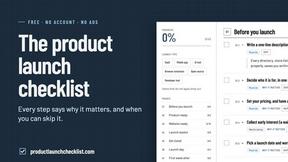
Product Launch Checklist
A free launch checklist for SaaS, apps, AI tools and more. Every step says why it matters and when you can skip it.
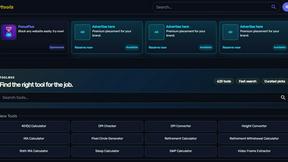
Kody Tools
Free collection of online developer utilities, code formatters, and digital converters designed to streamline your daily workflow.

MotionVault
MotionVault: Motion Graphics, Video Templates & Overlays for Editors

What's on the menu
Smart translate any restaurant menu
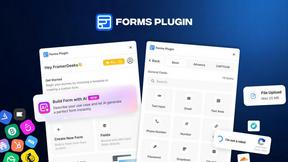
Forms Plugin
The #1 Native Form Builder Plugin for Framer - No Code, No Embeds, No External Platforms.

HomeAnswerBook
Practical, independent guides to home repairs, maintenance, costs, troubleshooting, and everyday fixes.