

AIQualityHQ
AIQualityHQ instantly analyzes and scores your AI prompts for structure, safety, and privacy to prevent costly errors.
AI tool Details
Explore More
Alternatives
About AIQualityHQ
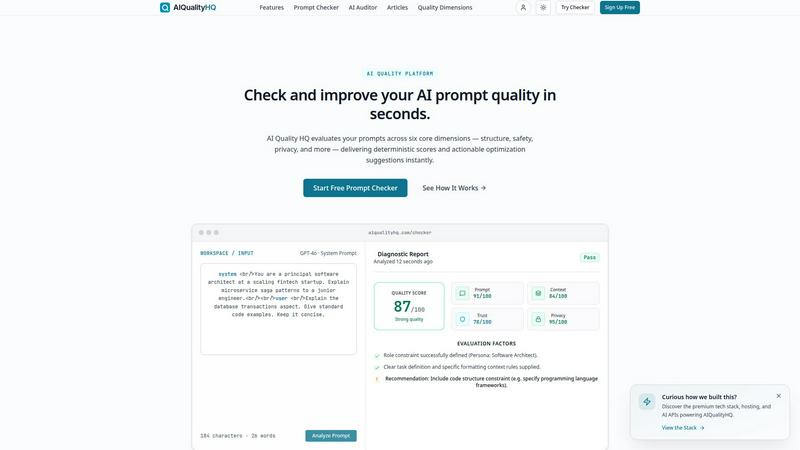
AIQualityHQ is an advanced prompt evaluation and optimization platform built to help users measure, improve, and trust their AI interactions. It solves a critical problem in modern AI workflows: poor prompts that cost time, money, and trust. Every ambiguous or unsafe prompt risks hallucinated outputs, security vulnerabilities, and inconsistent user experiences. Without quality checks, users ship blind. AIQualityHQ eliminates this risk by providing instant, deterministic analysis directly in the browser.
The platform is powered by a local, deterministic Quality Engine that analyzes prompt syntax, structure, and safety vectors in under 10 milliseconds. Crucially, all processing happens entirely within the browser without requiring an API key. This means 100% browser-based privacy, no data leaves your machine, and no paid API calls are needed. The engine uses static syntax checking, structure heuristics, and rule-based analysis to evaluate prompt quality.
AIQualityHQ scans and scores prompts across six core dimensions: Prompt Structure, Memory and State, Context Grounding, Trust and Accuracy, PII and Privacy, and Security and Safety. Along with an instant score breakdown, it provides actionable fix checklists and real-time diagnostic feedback to eliminate hallucination risks, injection vulnerabilities, and PII leaks. The tool is universally compatible with prompt engineering workflows across all major large language models, including GPT-4, Claude, Gemini, and Llama.
The platform is designed for prompt engineers, developers, QA testers, and AI product managers who need to ensure their prompts are safe, effective, and reliable before deployment. It is free to use with no account required, making it accessible to anyone building AI-powered applications.
Features
Prompt Checker
The Prompt Checker is the core analysis tool that evaluates any AI prompt instantly. Users paste their prompt into the workspace, select their target model, and run the analysis. The deterministic engine scans structure, safety, and semantics, delivering results in under 10 milliseconds. The diagnostic report provides a comprehensive quality score out of 100, with individual scores for prompt structure, context, trust, and privacy. Each dimension includes specific pass or fail rules with detailed diagnostics, allowing users to pinpoint exactly where their prompt needs improvement. The tool also highlights critical issues such as security vulnerabilities, prompt injection vectors, missing output boundary constraints, and exposed PII variables.
AI Auditor
The AI Auditor feature extends prompt analysis beyond single prompts to evaluate entire AI interaction workflows. It provides batch analysis capabilities for reviewing multiple prompts simultaneously, ensuring consistency across an application or system. The auditor generates detailed reports that track quality trends over time, flagging regression in prompt performance. It also compares prompts against best practice templates and organizational standards. This feature is essential for teams that need to maintain quality control across large-scale AI deployments, ensuring every prompt meets predefined quality thresholds before reaching end users.
Six-Dimension Quality Analysis
This feature breaks down prompt quality into six measurable and actionable dimensions. Prompt Structure checks core formatting, role definitions, task descriptions, and explicit constraints. Memory and State evaluates how effectively the prompt uses historical context and manages conversation state. Context Grounding measures document usage, retrieval parameters, and reference constraints. Trust and Accuracy flags potential hallucination risks and consistency drops. PII and Privacy identifies exposed personal information. Security and Safety detects injection vectors and missing output boundaries. Each dimension has specific pass or fail rules with actionable fix suggestions.
Actionable Fix Suggestions
Every issue detected during analysis comes with specific optimization recommendations. The feature provides a fix checklist that guides users through applying corrections directly. A diff view allows users to compare original and optimized prompts side by side, making it easy to understand each change. Users can export their results and optimized prompts for documentation or sharing with team members. The suggestions are context-aware and tailored to the specific weaknesses found in the prompt, ensuring users understand not just what is wrong, but exactly how to fix it.
Use Cases
Prompt Engineering and Optimization
Prompt engineers use AIQualityHQ to refine their prompts before deployment. They paste system prompts, user instructions, and few-shot examples into the checker to validate structure, clarity, and safety. The tool identifies missing constraints, ambiguous instructions, and potential hallucination risks. Engineers can iterate rapidly, applying fix suggestions and rechecking scores until they achieve optimal quality. This use case is critical for anyone building production-grade AI applications where prompt quality directly impacts output reliability and user trust.
Security and Privacy Auditing
Security teams leverage AIQualityHQ to audit prompts for vulnerabilities before they reach production. The tool detects prompt injection vectors, missing output boundary constraints, and exposed PII variables. It flags high-risk issues such as unguarded system instructions and variables that could leak sensitive data. Teams can establish quality gates that require prompts to pass security checks before deployment. This use case is essential for fintech, healthcare, and enterprise applications where data privacy and security compliance are non-negotiable.
Developer Workflow Integration
Developers integrate AIQualityHQ into their CI/CD pipelines to automate prompt quality checks. Before merging code that includes new prompts, the pipeline runs the checker and fails builds that do not meet quality thresholds. This ensures every prompt in production has been validated for structure, safety, and accuracy. Developers also use the tool locally during development to debug problematic prompts quickly. The deterministic engine provides consistent, repeatable results that integrate seamlessly into automated testing frameworks.
QA and Testing for AI Applications
QA testers use AIQualityHQ to validate prompt behavior across different models and scenarios. They run edge case prompts through the checker to identify potential failure modes before they affect users. The tool helps testers verify that prompts handle unexpected inputs safely, maintain proper context boundaries, and do not expose sensitive information. QA teams generate reports that document prompt quality metrics for compliance and audit purposes. This use case ensures that AI applications deliver consistent, safe, and reliable outputs across all user interactions.
Frequently Asked Questions
How does AIQualityHQ analyze prompts without an API key?
AIQualityHQ uses a local, deterministic Quality Engine that runs entirely within your browser. The engine performs static syntax checking, structure heuristics, and rule-based analysis on the prompt text itself. No data is sent to any external server or AI model. This means zero latency from network calls, complete privacy, and no need for API keys or paid subscriptions. The analysis completes in under 10 milliseconds on average.
What dimensions does the prompt analysis cover?
The analysis covers six core dimensions: Prompt Structure (formatting, roles, constraints), Memory and State (historical context, conversation management), Context Grounding (document usage, retrieval parameters, citations), Trust and Accuracy (hallucination risks, consistency), PII and Privacy (exposed personal information), and Security and Safety (injection vectors, output boundaries). Each dimension receives a separate score and detailed pass or fail diagnostics.
Is my data private when using AIQualityHQ?
Yes, 100% browser-based privacy is a core feature of AIQualityHQ. All prompt analysis happens locally in your browser using the deterministic Quality Engine. Your prompts never leave your machine, are not sent to any server, and are not stored or logged by the platform. This makes it safe to analyze sensitive prompts containing proprietary business logic or personal information.
Which AI models is AIQualityHQ compatible with?
AIQualityHQ is universally compatible with all major large language models. It works with GPT-4, GPT-4o, Claude, Gemini, Llama, and any other model that uses standard prompt formatting. The analysis focuses on the structural and safety aspects of the prompt itself, which are model-agnostic. Users can select their target model in the workspace to get model-specific recommendations and constraints.
Do I need to create an account to use the Prompt Checker?
No account is required to use the basic Prompt Checker. You can paste a prompt, run the analysis, and view your results instantly without signing up. Creating a free account unlocks additional features like saving prompt history, batch analysis, and exporting reports. The core quality analysis functionality remains free and accessible to everyone.
Similar to AIQualityHQ
Ecommerce Data API
Amazon research data APIs for developers, sellers and AI agents. Integrate product, keyword and market research through REST APIs and MCP.
Novastart
Infinite canvas whiteboard OS where apps, files, teams and AI agents work together.
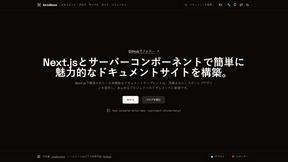
MD to Text
Convert Markdown to clean, readable plain text in your browser. Strip formatting, keep the content, and copy clean output for AI prompts and docs.
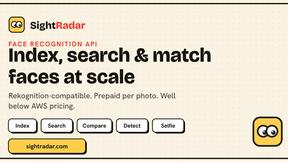
SightRadar
Face recognition API, a drop-in replacement for AWS Rekognition. Index, search, compare and detect faces, billed per photo with no subscription.

StackLedge
Skip the prompt wrapper hype. StackLedge is a human-curated directory of verified AI tools, active SaaS platforms, and custom n8n workflows.
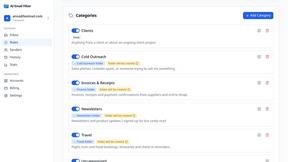
AI Email Filter
AI Email Filter sorts incoming mail into folders using plain-language prompts you write. Works with any IMAP mailbox; bring your own LLM if you want.
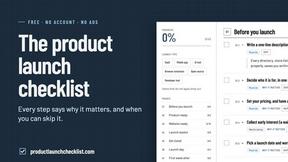
Product Launch Checklist
A free launch checklist for SaaS, apps, AI tools and more. Every step says why it matters and when you can skip it.